Friends are here: keep the people you play with
Add the people from last night's party with one tap, share your friend link or QR code, and build a crew for the next game night.
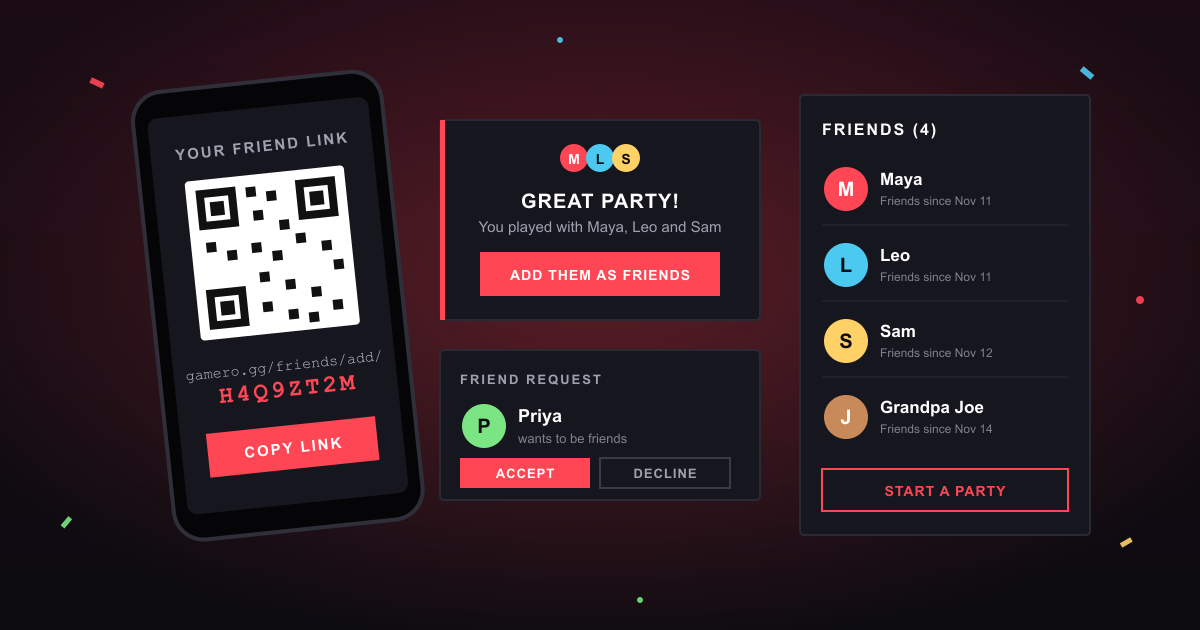
The best part of a Gamero party isn't the games. It's the people. That friend-of-a-friend who turned out to be scarily good at the quiz, the cousin who only plays once a year, the colleague who wants a rematch. Until now, when the party ended, they were gone. Not any more: Gamero now has friends.
Add the people you just played with
You don't need to swap usernames or dig out anyone's number. Gamero already knows who was in the room:
- During the party, tap + Friend next to anyone in the player list on your phone.
- When the party ends, Gamero asks if you want to add the people you played with. One tap, done.
- Later, open the Friends tab on your profile. Recently played with lists everyone from your recent parties, so you can still add them the next day.
They get a friend request, tap Accept, and you're friends.
Your friend link and QR code
Every player has a personal friend link with a QR code. Send the link in a chat, or let someone scan the code from your screen. When they open it while signed in, they can add you straight away. If they don't have an account yet, the link points them to sign-up. Once they have one, they open the link again.
You can also type a friend's code into the Add box on your Friends tab. Shared your link somewhere you shouldn't have? Press New link: the old link and QR code stop working immediately.
You stay in control
- Nobody becomes your friend without your OK. Every request waits for you to accept or decline.
- Decline quietly. Declining a request just makes it go away.
- Remove anyone, any time from your friends list.
- No spam. Requests only come from people who played with you or who have your link, and there's a limit on how many unanswered requests one player can send.
- Guests can still play. You don't need an account to join a party. Friends are for players who want to keep in touch, and the one-tap buttons show up for signed-in players.
Why it matters
Game night is better with a regular crew. Friends turn "that was fun, we should do it again" into actually doing it again: your friends list is the group chat for your next party, and the people at the top of the scoreboard know exactly who wants a rematch.
This is the first step. We're working on more ways to play with your friends, so check back soon.
Get started
- Create an account or sign in.
- Open the Friends tab on your profile and share your link.
- Start a party, play a few games, and add everyone at the end.